
Skribbly Review – Hand-Drawn Whiteboard Videos From One Typed Topic?
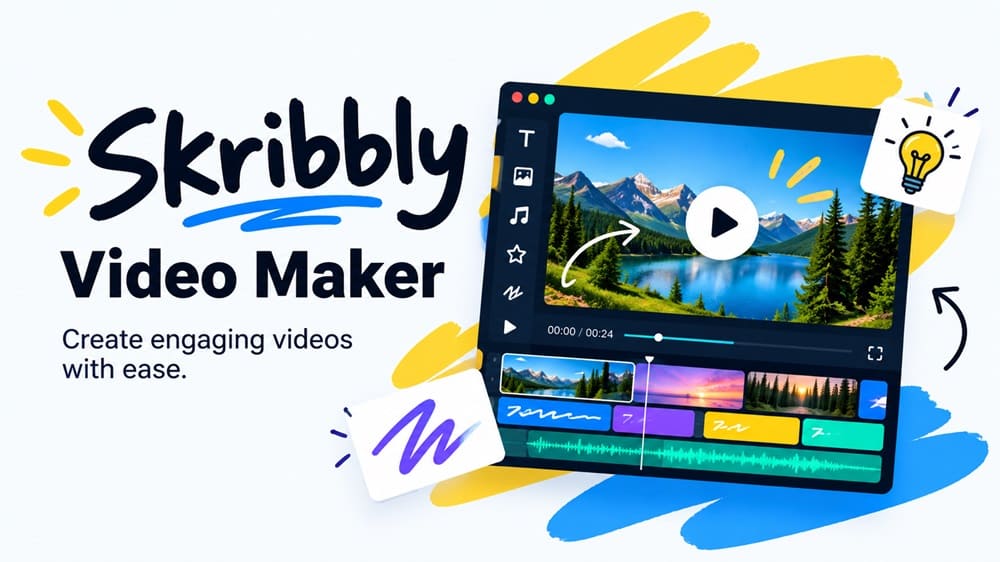
Quick Summary
- Product: Skribbly
- Creator: Stephanie Hayes
- Launch Date: September 30, 2026 at 10:00 AM EST, sold through WarriorPlus
- Front-End Price: $17 one-time 👉 Amazing Discounted Price Right Here! 📌
- Bundle Deal: $97 for the app plus every upgrade
- Order Bump: Publish Kit for $9.95
- Category: Browser-based whiteboard explainer video maker
- Requirements: Chrome on desktop plus your own Anthropic, OpenAI and voice (ElevenLabs or Fish Audio) API keys
- Refund Policy: 30-day money-back guarantee
Whiteboard explainer videos, where a hand draws on a white board while a voice walks you through an idea, are some of the most watchable videos online. They’re also slow to make. You either learn software like VideoScribe and drag assets around a timeline for hours, or you pay a freelancer for each short video.
Skribbly says you can skip both. Type a topic, and it writes the script, draws each scene with a real photographed hand, adds a voiceover and gives you an MP4. I spent a week making real client videos with Skribbly before launch, so this review covers how it works, what it costs to run, whether the bundle is worth it, and who should buy it.
What Is Skribbly? How Does It Work Step By Step?
Skribbly is a whiteboard explainer video maker that runs in your own Chrome browser. It uses three AI services that you connect with your own API keys: Claude from Anthropic writes the script, OpenAI draws a simple line illustration for each scene, and ElevenLabs or Fish Audio provides the voice, unless you upload your own recording. A photographed hand then “writes” each heading letter by letter and traces the drawings, and at the end the camera pulls back to show the whole board as one mind map.
Because it’s bring-your-own-keys, you pay the AI providers directly for what you use, and nothing is stored on the vendor’s servers. Going by the cost estimates I read before buying, expect about $1.25 in illustration credits for a 6-scene video.
Here’s the four-step flow as I used it for each video:
➤ Step 1 — Write the script. Type a topic, and optionally an audience, tone, language and scene count (6, 9 or 12). Click Write script. You can regenerate it or paste your own script instead.
➤ Step 2 — Choose the look. Pick a female or male hand in one of five skin tones, or no hand at all, and a pen width. The front end uses the standard whiteboard and one handwriting font.
➤ Step 3 — Preview silently. Watch the whole video draw without sound, then edit any scene’s heading, caption, drawing or narration, add or delete scenes, and preview again.
➤ Step 4 — Add a voice and generate. Choose one of 12 ElevenLabs voices, use Fish Audio or upload your own recording, add captions and music if you want, and click Generate. You get a 1080p MP4 and a matching .srt subtitle file.
One practical note: recording happens in real time. A 90-second video takes about 90 seconds to record, and the tab has to stay open and in front the whole time.
About The Creator

Skribbly is made by Stephanie Hayes of Stephanie Hayes Marketing. Her previous launch was Captionly, a kinetic caption video tool, and the full version of Captionly is offered again inside this funnel.
Skribbly Review – Key Features
✅ AI-written script: a title scene plus 6, 9 or 12 scenes that flow as one explainer, each with a heading, caption, drawing prompts and narration.
✅ A real photographed hand: writes headings letter by letter and draws the illustrations, paced to the voice. Female or male, five skin tones, or no hand.
✅ Mind-map reveal: scenes are laid out as one connected board, and the camera zooms out at the end to show the whole picture.
✅ Custom illustrations per scene: generated with your OpenAI key and traced into whiteboard line art.
✅ Voice options: 12 curated ElevenLabs voices, Fish Audio, or your own uploaded recording, with speed control.
✅ 32 languages: script, board text, captions and voice, with real handwriting fonts for Japanese, Chinese, Korean, Arabic, Hindi and Tamil, and Arabic written right to left.
✅ Captions and subtitles: word-by-word highlighted captions plus a .srt file.
✅ Bring your own script: paste a finished script and it plans the scenes around your exact words.
✅ Call-to-action end screen: your own text and link on a closing page after the board reveal.
✅ Private by design: runs in your browser with your keys; nothing is uploaded to or stored by the vendor.
Skribbly Pricing & Funnel Summary
Skribbly Front End ($17)
Skribbly costs $17 as a one-time payment, with one license key for two devices. That gets you the full 16:9 whiteboard studio: AI script, the hand-drawn look, custom illustrations, the voices, captions and .srt, the CTA end screen, 32 languages, the scene editor and 1080p MP4 export. A 30-day money-back guarantee covers the purchase, with no questions asked.
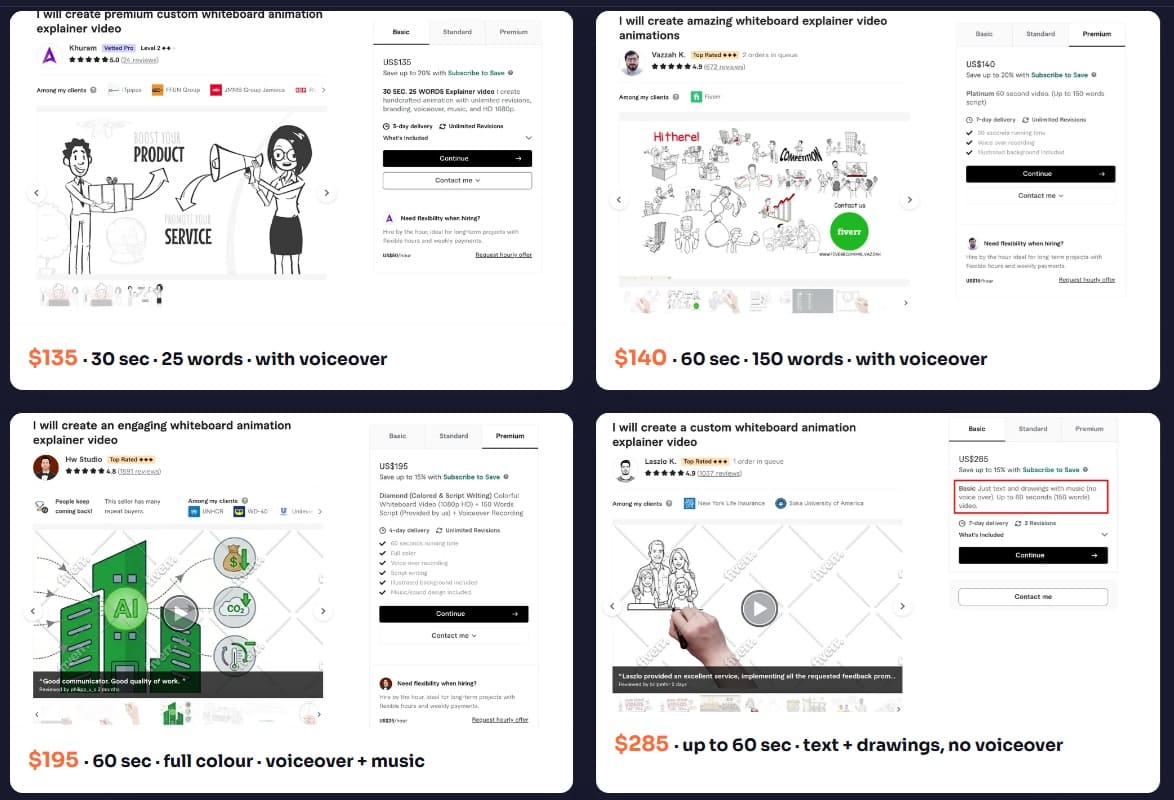
Is it worth it? The comparison that matters is with hiring out: freelancers typically charge well over a hundred dollars for a single 30 to 60-second whiteboard video. For the price of a coffee plus a couple of dollars in credits per video, Skribbly produces two to three-minute explainers that look like the real thing. The front end is limited to landscape video with one board style and one handwriting font, so if you mostly post Shorts or Reels, you’ll need an upgrade.
💡 Value-for-Money Rating: 9.5/10
For YouTubers, course creators, affiliate marketers and freelancers who make landscape explainer videos, the front end is excellent value: a genuinely distinctive video style for $17 and a couple of dollars per video.
👉 Get Skribbly At An Exclusively Discounted Price 📌
The Upsells:
➡️ Order Bump — Publish Kit ($9.95): generates titles, descriptions, an FAQ and schema for each video. Useful if you publish to YouTube or embed videos in blog posts.
➡️ OTO 1 — Theme & Font Pack ($12.95): more boards, fonts, hands and custom colors. The upgrade to get if every video looking the same bothers you.
➡️ OTO 2 — Skribbly Reels ($17): 9:16 vertical whiteboard videos for TikTok, Reels and Shorts.
➡️ OTO 3 — Skribbly X vs Y ($24.95): side-by-side comparison videos, well suited to affiliate and review content.
➡️ OTO 4 — Skribbly Listicles ($24.95): top-5 and best-of countdown videos.
➡️ OTO 5 — Retention Scripter ($17): scripts written to keep viewers watching longer.
➡️ Cross-Sell — Captionly Full Version ($47): the vendor’s earlier kinetic caption video tool, offered in the funnel.
Skribbly Bundle Deal ($97): Is It Worth It?
You can also skip the upgrade pages entirely and buy the Skribbly Bundle for $97. The listed regular price is $123.80, which is simply the sum of the separate prices. I found the bundle offered right next to the $17 option, so you choose one or the other at the start.
Here’s exactly what the bundle includes:
- ✅ Skribbly: the full 16:9 whiteboard studio from the front end
- ✅ Theme & Font Pack: all boards, fonts, hands and custom colors
- ✅ Skribbly Reels: 9:16 vertical videos for TikTok, Reels and Shorts
- ✅ Skribbly X vs Y: side-by-side comparison videos
- ✅ Skribbly Listicles: top-5 and best-of countdown videos
- ✅ Retention Scripter: scripts built to hold attention
- ✅ Publish Kit: titles, descriptions, FAQ and schema
- ✅ One license key for everything: two devices, 1080p MP4, both 16:9 and 9:16 formats unlocked on day one
The saving against buying the same seven pieces separately is $26.80, or about 22%. It suits YouTube and affiliate creators who publish in several formats every week, agencies making explainers for clients across landscape and vertical platforms, and anyone who knows up front they want the comparison and countdown formats.
💡 Bundle Value Rating: 9/10 for multi-format creators
If you’ll really use vertical, comparison and countdown videos, the bundle is a fair deal that also saves you clicking through six upgrade pages. If you only make standard explainers, you’d be paying about $80 for tools you won’t open, and the front end alone does the job.
My Personal Experience With Skribbly
I had access about a week before launch. A small solar installer I’ve done website work for wanted short videos to answer the questions their sales team hears every day, so I made them “The Sunwise Solar Basics Series”: six whiteboard explainers for their website and YouTube channel, each built from a single topic and edited in the scene editor.
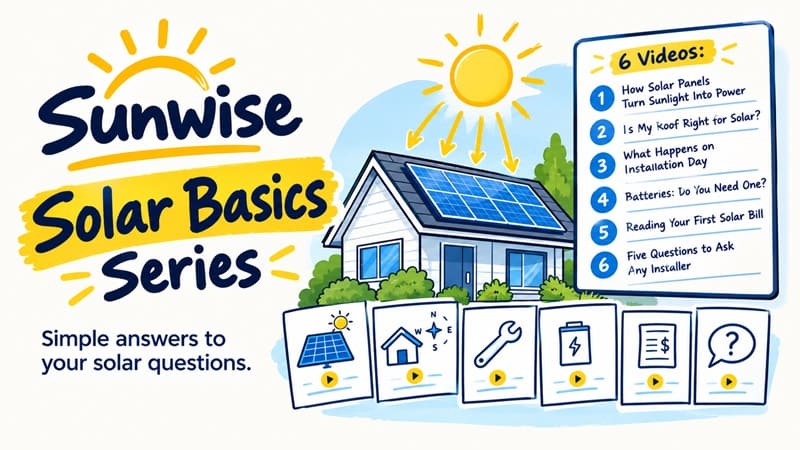
These are the six videos in the series:
- Video 1 — How Solar Panels Turn Sunlight Into Power: 6 scenes, about 1:50. The script was accurate on the first try; I only simplified two headings.
- Video 2 — Is My Roof Right for Solar?: 9 scenes, about 2:40. One illustration showed a roof facing the wrong way for the point being made, so I regenerated that scene.
- Video 3 — What Happens on Installation Day: 6 scenes. I pasted the installer’s own step list as the script so the narration matched their real process word for word.
- Video 4 — Batteries: Do You Need One?: 9 scenes. The first script made a general savings claim, and I removed it because savings depend on local rates and usage.
- Video 5 — Reading Your First Solar Bill: 6 scenes, the one the sales team liked most.
- Video 6 — Five Questions to Ask Any Installer: 12 scenes, about 3:20, with a CTA end screen pointing to their booking page.
The series took about five hours in total, including script edits, previews and recording. Recording ran in real time, so I did other work on a second screen while each video recorded. My API costs for all six, including a few regenerated scenes, came to about $14.
The installer paid $450 for the six videos, and the owner asked for vertical versions for social media, which is a second job I can quote once I decide on Reels. Hiring a freelancer for six whiteboard videos would have cost them more than that, and producing them myself cost me $17 plus about $14 in credits.
Comparison Table: Skribbly vs. Alternatives
| Option | Cost | Time Per Video | Skill Needed | Style Flexibility |
|---|---|---|---|---|
| Skribbly | $17 one-time + about $1 to $3 in credits per video | Under an hour | None beyond API setup | One whiteboard style |
| Whiteboard animation software | Subscription or license fee | Hours per video | Timeline editing skills | Very flexible |
| Hiring a freelancer | $135 to $285 per short video | Days of turnaround | None | Whatever you pay for |
| AI slideshow video tools | Monthly plans | Minutes | None | No real hand-drawn look |
Final Verdict on Skribbly
Skribbly is one of the more impressive small tools I’ve tested this year. It produces whiteboard explainers that look hand-made, it’s clear about what it costs to run, and it earned back its price many times over on my first client project. For anyone who explains things on video, I think Skribbly is worth considering while the $17 launch price is still available. If you only need landscape explainers, buy the front end. If you already know you’ll post vertical, comparison and countdown videos every week, the $97 bundle is the better deal.
That’s all what I want to share with you about Skribbly. I hope that my review can give you a helping hand in deciding what is best for you.
You can receive exclusive bonus materials by completing the two steps below:
♦ Step 1: Order the product by clicking the button below.

♦ Step 2: After your purchase is complete, email your receipt to me at ethanbonus1992@gmail.com so I can confirm your purchase and send you instructions on how to access your bonus materials.