
KDPEasy Activity Book Prompt Kit: 10 Page Types For $17
Quick Summary
- Product: KDPEasy Activity Book Prompt Kit
- Creator: Lucky Smith
- Front-End Price: $17 one-time (stated value $137) 👉 Amazing Discounted Price Right Here! 📌
- What It Does: Writes exact ChatGPT prompts for every page of a kids’ activity book from one theme
- Includes: 10 activity page types, 3 age groups, 2 book sizes, cover prompts and 3 bonuses
- Works With: Your own ChatGPT account with image generation, then Canva for assembly
- Upsells: Three OTOs
- Category: Prompt tool for KDP, Etsy and Teachers Pay Teachers activity books
Kids’ activity books are one of the most reliable low-content categories on Amazon KDP. Parents buy them for car trips, rainy days and holidays, teachers buy them for early finishers, and grandparents buy them as gifts. The ideas are easy; the production is not. Making 40 or 50 pages with consistent characters and a matching style, page after page, is where most publishers get stuck.
KDPEasy Activity Book Prompt Kit is built to fix exactly that production problem. I used it for several weeks to plan and publish a complete activity book, and below I’ll walk you through how it works, the three upgrades, and the results from my first book.
What Is KDPEasy Activity Book Prompt Kit? How Does It Work Step By Step?
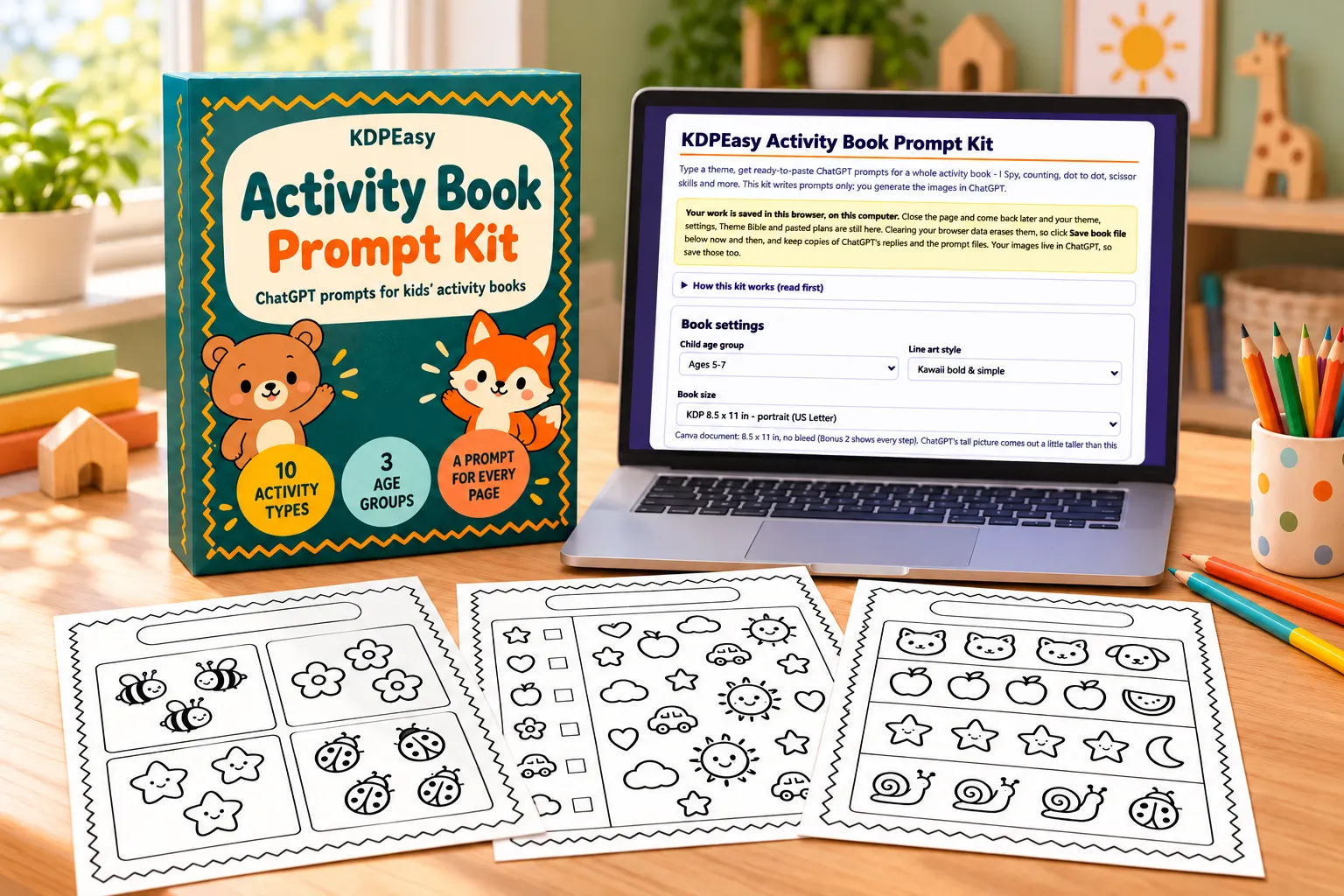
KDPEasy Activity Book Prompt Kit is a simple browser-based app that writes exact ChatGPT prompts for a complete kids’ activity book from a single theme. You download it as a ZIP, open index.html and work offline in Chrome or Edge. It builds a book plan and a Theme Bible first, then a precise prompt for every page, so the pictures you generate in ChatGPT keep the same characters and style from the first page to the last.
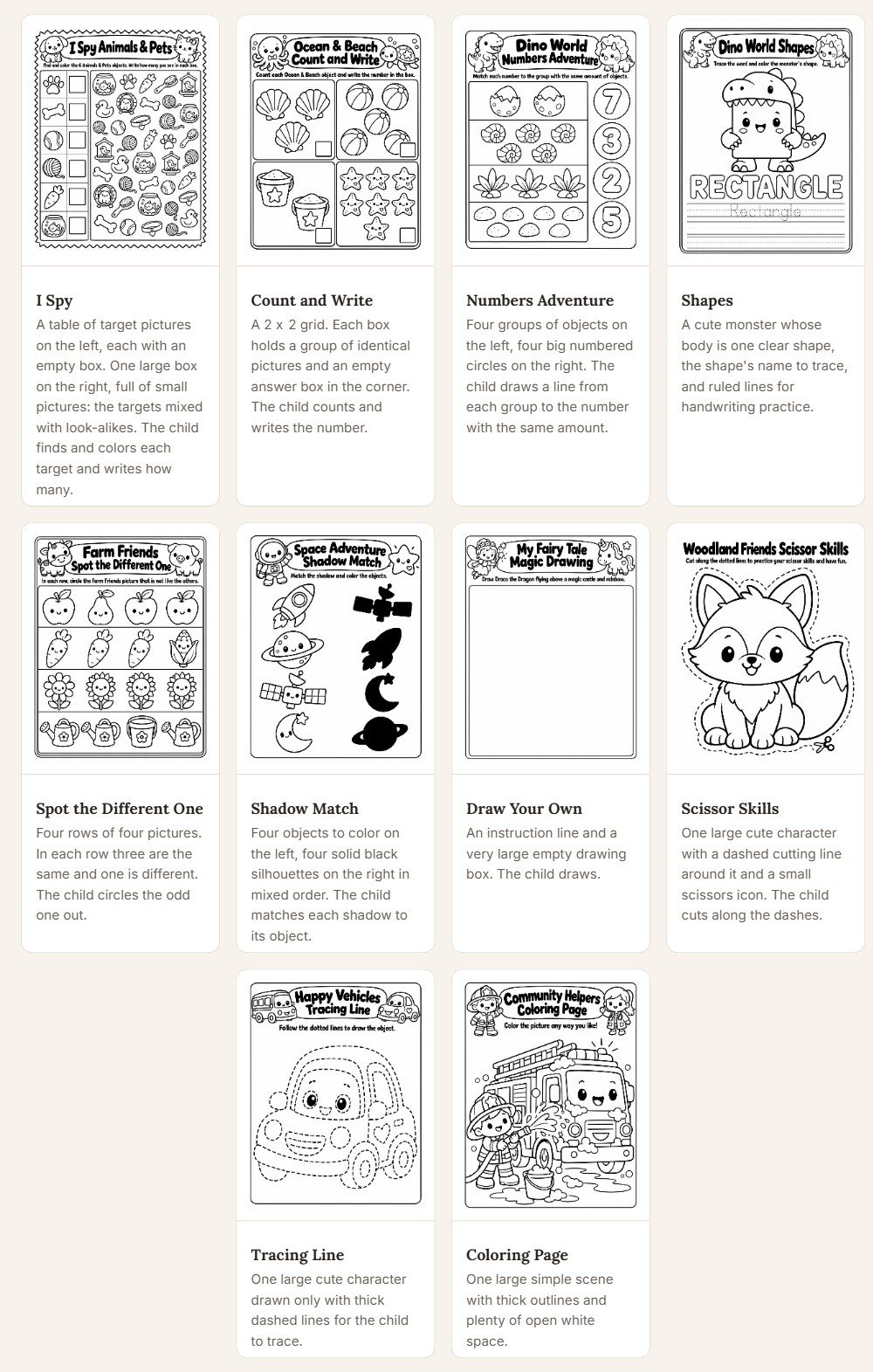
It covers ten kinds of page: I Spy, Count and Write, Numbers Adventure, Shapes, Spot the Different One, Shadow Match, Draw Your Own, Scissor Skills, Tracing Line and Coloring Page, for ages 3–5, 5–7 or 7–9, in 8.5 x 8.5 or 8.5 x 11 inch books.
Here’s the step-by-step flow as I worked through it:
➤ Step 1 — Start with one theme. Type a theme such as “Dinosaurs”, tick the activity types and set a page count for each, choose the age group, art style and book size, then click “Build prompt”. ChatGPT returns a book plan, a Theme Bible and a page layout.
➤ Step 2 — Get a prompt for every page. Paste ChatGPT’s reply back into the kit and click “Build page prompts”. You get a prompt per page, a status table, a list of things to double-check and a bulk .txt download. Paste the prompts into one image chat, and use the one-line fix under any page that needs another try.
➤ Step 3 — Create the covers. Generate front and back cover prompts and run them in the same image chat so the cover matches the interior.
➤ Step 4 — Assemble and publish. Lay the pages out in Canva using the included Canva Design Guide, export the PDF and publish to KDP or sell it as a printable pack.
About The Creator

KDPEasy Activity Book Prompt Kit is created by Lucky Smith, a digital product creator who specialises in AI prompts and printables for KDP, Etsy and Teachers Pay Teachers sellers. He is the name behind the KDPEasy line, which also includes KDPEasy Storybook Prompt Kit.
Lucky clearly understands how low-content publishers actually work. The kit is built around the real sticking points, keeping characters consistent, fixing a single bad page without starting over, and getting a print-ready interior, and the bonuses cover the Canva and KDP steps that come after the prompts. His sales page even shows full sample books made with the kit, which says a lot about his confidence in it.
KDPEasy Activity Book Prompt Kit Review – Key Features
✅ 10 Activity Page Types: I Spy, Count and Write, Numbers Adventure, Shapes, Spot the Different One, Shadow Match, Draw Your Own, Scissor Skills, Tracing Line and Coloring Page, each built from exact wording. Mixing them gives a book the variety parents look for in reviews, and you can set the number of pages for each type.
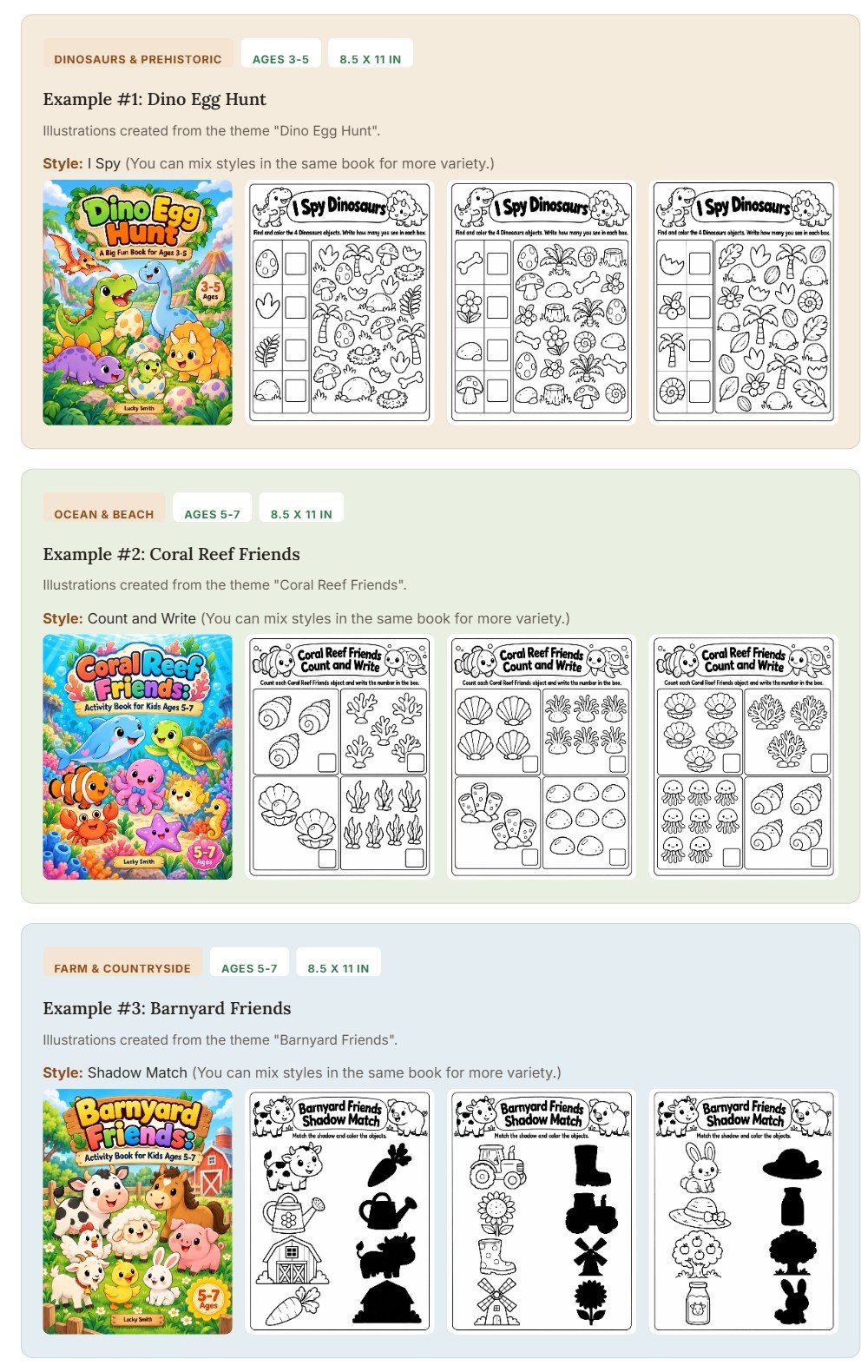
✅ Theme Bible For Consistent Characters: Before any page is drawn, ChatGPT writes a Theme Bible describing the characters, style and setting, and every page prompt refers back to it. Working in one image chat keeps the same little dinosaur or sea turtle looking the same on page 3 and page 43.
✅ A Prompt For Every Page: Up to 30 pages per activity type per request, with a “Split into smaller prompts” option for thicker books. Each page gets its own prompt, a status line in the table and a one-line fix you can paste if a picture comes out wrong.
✅ Age Groups, Styles And Sizes: Three age groups (3–5, 5–7, 7–9), two line-art styles including kawaii, and two KDP-friendly book sizes, 8.5 x 8.5 and 8.5 x 11 inches. The prompts adjust difficulty and layout to match.
✅ Print-Friendly Options: A page frame on or off, an Ink-saver look with hollow numbers and words, and a “Quick test: 1 page per type” mode to check the style before you commit to a whole book.
✅ Cover Prompts: Front and back cover prompts generated in the same chat as the interior, so your cover characters match the pages inside.
✅ Offline, Private And Subscription-Free: The kit runs from a local index.html file on Mac or Windows, saves your work in the browser and uploads nothing. There’s no monthly fee and no limit on how many books you make.
🎁Exclusive Vendor Bonuses
Lucky includes three bonuses plus a quick-start guide:
- 250 Theme Ideas (Excel): themes across 16 categories, each with an age setting, suitable activity types and a title idea, all free of licensed characters.
- Canva Design Guide (PDF, 10 pages): plain-English steps for a KDP interior and cover, including sizes, margins, blank pages, export settings and KDP’s AI-content question.
- Book Blueprints (Excel): nine starting recipes showing how many pages of each activity to make, with books of up to 120 pictures.
- Quick-Start Guide And README: a short guide to get your first book planned in minutes.
KDPEasy Activity Book Prompt Kit Pricing & Funnel Summary
KDPEasy Activity Book Prompt Kit Front End ($17)
The front end costs $17 once through WarriorPlus, against a stated value of $137, with no subscription. It includes the kit with all ten page types, the three bonuses and the quick-start guide. A 30-day money-back guarantee lets you request a full refund by email and keep the bonuses.
Is it worth buying? An illustrator would charge far more than this for a single 40-page activity book, and writing consistent prompts by hand for every page takes hours per book. Here you pay once and reuse the system for every theme on your list. It’s a natural fit for KDP publishers, Etsy printable sellers and teachers. If you’d like even more page types, OTO 1 unlocks them inside the same kit.
💡 Value-for-Money Rating: 9.4/10
For $17 once, you get ten page types, 250 theme ideas and nine book recipes, enough to plan dozens of different activity books. For a KDP publisher, a few paperback sales of the first book cover the price, and every book after that runs on the same system at no extra cost.
👉 Get KDPEasy Activity Book Prompt Kit At An Exclusively Discounted Price 📌
The Upsells:
➡️ OTO 1 — More Activities ($27): A key that unlocks more activity page types inside the kit you already have, with nothing new to download. More page types mean more variety per book and more distinct titles in a series, ideal for publishers who want each book to feel fresh.
➡️ OTO 2 — Series + Publish Tools ($37): Four extra page types (This Book Belongs To, Welcome Page, Certificate and Thank You Page), a series feature that writes a prompt for a new book with the same style and characters from a saved book file, an Amazon listing prompt for titles, subtitles, keywords, description and categories, and a before-you-publish checklist. It works with or without OTO 1 and suits anyone building a branded series.
➡️ OTO 3 — PDF Tool For Activity Books ($57): A separate offline browser app that builds a KDP interior PDF from your pictures, with title and copyright pages, blank backs, page count checks and 8.5 x 8.5 or 8.5 x 11 inch output. It replaces the manual Canva layout step, perfect for publishers releasing books regularly.
Why Should You Choose KDPEasy Activity Book Prompt Kit?
My Personal Experience With KDPEasy Activity Book Prompt Kit
With KDPEasy Activity Book Prompt Kit I made “Monster Truck Rally Activity Book”, a 52-page book for ages 5–7 in the 8.5 x 11 inch size, starring a friendly red monster truck called Rumble and his crew. Vehicle themes sell steadily to parents of young boys, and I wanted to test how well the kit kept one main character consistent across many page types.
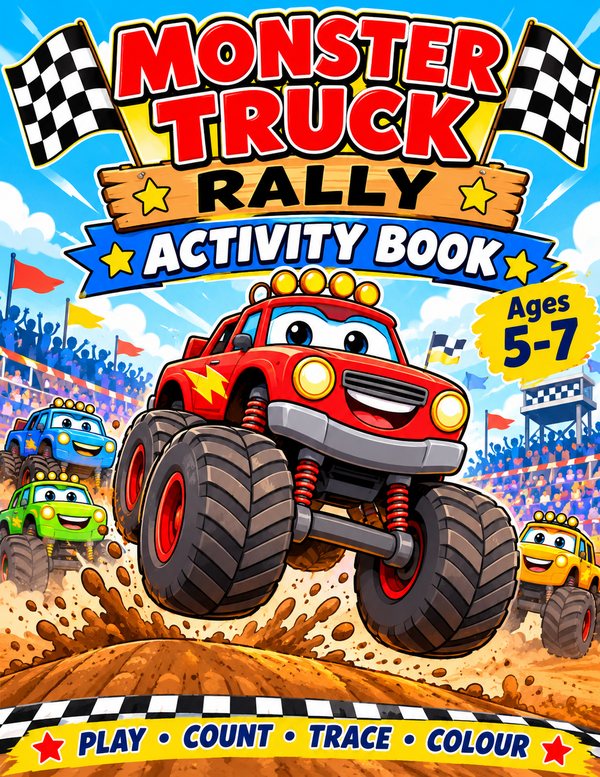
Here’s how the book was laid out:
- Pages 1–8 — Rumble’s Garage I Spy: busy garage scenes in kawaii line art where kids find wrenches, tyres and traffic cones, with the target count shown at the bottom of each page.
- Pages 9–16 — Count The Trucks: Count and Write pages counting from 1 to 10 with trucks, flags and fuel cans, using the Ink-saver look with hollow numbers to trace.
- Pages 17–22 — Shape Up The Track: Shapes pages where circles become wheels, triangles become ramps and rectangles become trailers.
- Pages 23–30 — Which Truck Is Different?: Spot the Different One rows of four trucks with one changed detail, plus Shadow Match pages pairing each crew member with its silhouette.
- Pages 31–38 — Race Line Tracing: Tracing Line pages following dirt-track paths, jumps and zigzag roads from the start flag to the finish.
- Pages 39–44 — Cut And Build: Scissor Skills pages with straight, curved and zigzag cutting lines that turn into a simple paper ramp.
- Pages 45–52 — Design Your Own Truck And Colour The Rally: Draw Your Own pages with an empty truck body to decorate, followed by full-page coloring scenes of the big rally finale.
Planning took about twenty minutes, and generating the 52 pictures plus covers took me two evenings in one ChatGPT image chat. A handful of counting pages showed the wrong number of objects on the first try, which is normal with AI images, and the one-line fix under each page sorted them out quickly. Assembly in Canva with the Design Guide took one more evening.
I published the paperback on KDP at $8.99 and sold a printable version on Etsy at $5.50. In the first five weeks the paperback sold 148 copies for around $636 in royalties, and the printable sold 92 times for about $506, giving approximately $1,142 in total. A free six-page sampler on my blog brought in 330 new subscribers, and a farm-animals follow-up is already in progress.
Who Should Use KDPEasy Activity Book Prompt Kit?
- KDP low-content publishers: build full activity books with consistent characters and publish a new theme every week.
- Etsy printable sellers: sell themed activity packs and split bigger books into smaller printable sets.
- Teachers Pay Teachers sellers: make age-specific worksheet packs for ages 3–5, 5–7 or 7–9 around classroom themes.
- Teachers: create custom activity pages for a class topic or for early finishers.
- Parents and homeschoolers: print personalised activity books around your child’s favourite animal, vehicle or hobby.
- Digital product creators: add activity books to a bundle or use a sampler as a lead magnet.
Common Questions About KDPEasy Activity Book Prompt Kit
- Do I need ChatGPT?
Yes, with an account that can create images. The kit writes the prompts; ChatGPT makes the pictures. - Do I need to draw?
No. You generate the pictures in ChatGPT and assemble the book in Canva using the bonus guide. - Does it work on Mac and Windows?
Yes, in a modern browser such as Chrome or Edge. It works offline; only ChatGPT needs the internet. - Is there a book or page limit?
No book limit. You can request up to 30 pages per activity type at a time and split larger books. - Can I sell the books I make?
Yes. You can publish and sell your books; the kit itself can’t be resold or shared. - What if it isn’t for me?
Email within 30 days for a full refund and keep the bonuses.
Comparison Table: KDPEasy Activity Book Prompt Kit vs. Alternatives
| Option | Cost | Consistent Characters | Unique Books | Time Per Book |
|---|---|---|---|---|
| KDPEasy Activity Book Prompt Kit | $17 one-time | Theme Bible | Yes | A few evenings |
| Writing prompts by hand | Your subscription | Drifts page to page | Yes | Much longer |
| Activity book PLR packs | $10–$30 | Yes | Shared with other buyers | Fast |
| Hiring an illustrator | $300+ per book | Yes | Yes | Weeks |
Pros and Cons of KDPEasy Activity Book Prompt Kit
- ✅ Ten activity page types with exact, consistent prompts for every page.
- ✅ A Theme Bible that keeps characters and style the same across the book.
- ✅ Status table, one-line fixes and bulk download keep big books organised.
- ✅ 250 theme ideas, a Canva guide and nine book recipes included.
- ✅ Works offline with no subscription, plus a 30-day guarantee.
- ⚠️ AI pictures sometimes miscount objects, so a quick check of each page is wise; the one-line fix redoes a page in seconds.
- ⚠️ You lay out the final PDF in Canva; if you’d like that step automated, OTO 3 builds the KDP interior for you.
Final Verdict on KDPEasy Activity Book Prompt Kit
KDPEasy Activity Book Prompt Kit takes the slowest part of making kids’ activity books, writing a consistent prompt for every page, and turns it into a guided, repeatable process. For $17, KDP publishers, Etsy sellers and teachers get a tool they can use for book after book with no monthly fee. If you plan to publish a branded series, pairing it with OTO 2 is the smooth route. In my opinion, KDPEasy Activity Book Prompt Kit is worth considering, especially while the launch price is still available.
That’s all what I want to share with you about KDPEasy Activity Book Prompt Kit. I hope that my review can give you a helping hand in deciding what is best for you.
You can receive exclusive bonus materials by completing the two steps below:
♦ Step 1: Order the product by clicking the button below.

♦ Step 2: After your purchase is complete, email your receipt to me at ethanbonus1992@gmail.com so I can confirm your purchase and send you instructions on how to access your bonus materials.